

Communication Belongs Where the Work Happens: Meet HydroApps Chat

Aquatic facilities have never had a shortage of ways to communicate. You know them well!
Text messages. Group chats. Emails. Missed calls. Whiteboards. Notes at the bottom of a binder no one is ever going to see. Notes taped to an office door or keyboard. Messages passed from one shift to the next. A supervisor texting one employee who texts another employee who tells someone else when they get to work.
The problem is not that aquatic teams do not communicate. The problem is that communication is often happening everywhere.
That becomes especially challenging in an operation where employees work different shifts, supervisors oversee multiple facilities, seasonal staff come and go, and important information needs to move quickly between people who may rarely be in the building at the same time. That is why we are excited about the addition of Chat in HydroApps!
Chat brings everyday staff communication directly into the HydroApps platform, with many of the features teams already expect from modern messaging tools. Staff can have individual and group conversations, use emojis and reactions, reply to specific messages, upload photos and files, see unread conversations and read receipts, and access Chat from both the web and mobile app. Administrators also have additional visibility and oversight of communication happening within their organization. But the feature list is only part of why we think Chat is such an important improvement.
Communication Works Better When It Is Closer to the Work
Think about how many small operational conversations happen during a normal day at an aquatic facility.
Did someone address the maintenance issue from this morning? Does the closing team know about the equipment that needs attention? Did everyone working Saturday see the update? Who needs to know about the change to tomorrow's operations? Can someone send a picture of what they are seeing? Has the person I contacted actually seen my message?
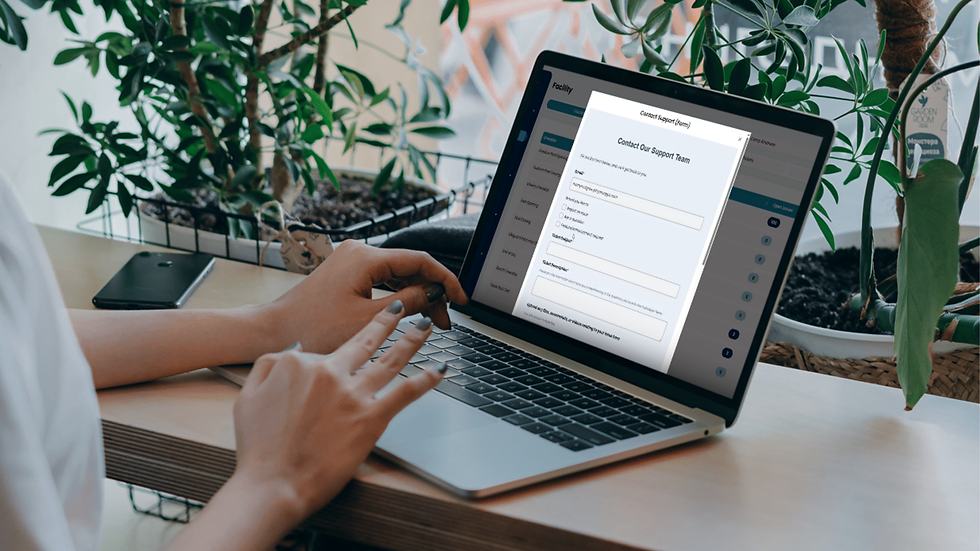
None of these questions are particularly complicated. But when the answers are scattered across personal texts, email chains, separate messaging apps and verbal conversations, keeping everyone aligned becomes much harder than it needs to be.
Bringing communication into HydroApps puts another piece of daily operations alongside the other work teams are already managing there.
That does not mean every conversation needs to become formal documentation, and Chat does not replace the operational records an organization needs to maintain. Instead, it gives staff a communication tool that lives inside the same operational environment they already use.
It Feels Like the Messaging Tools Staff Already Know
A workplace communication tool should not require extensive training just to send a message. Chat includes familiar features that make conversations feel natural. Staff can use emojis and reactions, reply directly to a particular message, participate in individual or group conversations, and see when there are unread messages. Read receipts can also help users know when information has been seen.
Those may sound like small conveniences, but they matter when you are trying to make a tool something employees will actually use.
For aquatic operations with seasonal employees, young staff, multiple shifts and employees who may only work a few hours each week, reducing friction is important. Communication should be easy enough that it supports the work rather than becoming another task employees have to learn.
Sometimes a Photo Is the Best Message
Aquatic operations are physical and visual. Sometimes explaining an issue in three paragraphs is much less useful than simply showing someone what you are seeing.
Chat allows users to upload and share photos and files directly in a conversation. From the mobile app, that becomes especially useful for employees who are moving around the facility rather than sitting at a desk.
A staff member can show a supervisor an issue they noticed. A manager can share information with a group. A team can discuss the same photo or document instead of having pieces of the conversation scattered between email, text messages and another platform. It is a simple feature with a lot of practical applications.
Group Conversations Can Match How Your Operation Actually Works
Aquatic facilities rarely operate as one giant team doing the same thing at the same time. You may have lifeguards, swim instructors, maintenance staff, managers, front desk employees, program teams or employees assigned to different facilities.
Chat allows teams to create conversations around the people who actually need the information. Depending on the conversation, that might mean communicating individually, creating a group, or organizing communication around a particular team or operational need. That can reduce the familiar problem of employees wondering, "Which group chat was that in?"
Instead of maintaining a growing collection of personal text threads and external messaging groups, organizations can begin creating a more intentional communication structure alongside their other HydroApps operations.
Administrative Visibility Matters, Too
Communication is not only about making it easier to send messages. Organizations also need appropriate oversight of workplace communication. HydroApps gives administrators additional visibility into Chat activity within their organization. That can be particularly valuable for organizations managing large seasonal teams, multiple facilities or employees across different roles.
It also creates an opportunity for organizations to establish clearer expectations around professional workplace communication. Rather than important operational conversations disappearing into personal text threads that supervisors may never know existed, communication can happen within the organization's operational system. That is a meaningful improvement for both communication and organizational visibility.
Read Receipts Can Close a Small but Important Gap
There is a meaningful difference between "I sent it" and "they saw it." Chat includes read receipts so users can see when messages have been read, while unread indicators help staff identify conversations they still need to review.
For supervisors managing teams across different shifts, that small piece of visibility can eliminate some of the uncertainty that comes with asynchronous communication. It does not replace follow-up when something is urgent or safety-critical. But for everyday operational communication, knowing whether information has been seen is useful.
Mobile Access Makes Communication More Practical
Aquatic professionals do not spend their entire workday sitting behind a computer. In many facilities, the people who need to communicate are on deck, walking through mechanical spaces, supervising programs, moving between facilities or completing operational tasks. That is one reason bringing Chat into the HydroApps mobile experience matters.
Staff can access conversations while using the same mobile environment where they may already be completing other HydroApps tasks. Push notifications can help employees know when new communication is available, and users can manage or mute notifications when they need to reduce the noise.
The goal is not more notifications. It is making the right information easier to access where the work is actually happening.
The Bigger Picture: Fewer Disconnected Systems
This is ultimately what makes us excited about Chat! HydroApps has always been about improving operational visibility. Facilities use the platform to manage pieces of their operations including documentation, staff information, scheduling, facility tasks, equipment, compliance and reporting. Communication connects all of those things.
When scheduling happens in one place, documentation happens somewhere else, facility information lives in another system and staff communication happens across personal phones and several unrelated apps, leaders spend a surprising amount of time simply connecting information.
Adding Chat does not eliminate every communication challenge, and software will never replace strong supervisors, clear expectations or the quick conversations that happen naturally on deck. What it can do is reduce fragmentation.
And that is the bigger reason we see Chat as such an important improvement to HydroApps. It is not simply another place to send a message. It is another step toward creating a more connected home for the work aquatic teams are already doing.
Start Chatting
Chat is now available in HydroApps on both web and mobile for all current customers. Explore individual and group conversations, emojis and reactions, photo and file sharing, replies, read receipts, administrative visibility and mobile notifications, then start thinking about where Chat could simplify communication within your own operation.
Because the real question is not whether your team needs another way to send messages. It is whether your team could benefit from having fewer places they need to look for them.
Bring Your Team's Communication Together
Your team is already communicating throughout the day. HydroApps Chat gives those conversations a place alongside the scheduling, documentation, and operational tools your organization uses.
Already using HydroApps? Chat is available now on web and mobile. Visit our Help Center for step-by-step instructions to get started.
New to HydroApps? See how Chat and our other tools can help bring your aquatic operations together in one platform.
Frequently Asked Questions About HydroApps Chat
What is HydroApps Chat?
HydroApps Chat is a staff communication feature built directly into the HydroApps platform. It allows aquatic teams to communicate through individual and group conversations, share photos and files, reply to messages, and stay connected through the web and mobile apps.
Is HydroApps Chat available on mobile devices?
Yes. HydroApps Chat is available through both the HydroApps web platform and mobile app, allowing employees to access conversations while working throughout their facility. Mobile push notifications can help users stay aware of new messages, and notification settings can be managed or muted as needed.
Can employees create group conversations in HydroApps Chat?
Yes. Employees can participate in individual and group conversations, making it easier to communicate with the people who need specific information. Teams can organize conversations around departments, facilities, or operational needs rather than relying on multiple personal text threads.
Can users share photos and files in HydroApps Chat?
Yes. HydroApps Chat supports photo and file sharing within conversations. This allows staff to show supervisors an issue, share relevant information with a group, or discuss a document without moving the conversation to another communication platform.
Does HydroApps Chat have read receipts?
Yes. Read receipts allow users to see when messages have been read, while unread indicators help employees identify conversations that still need their attention. For urgent or safety-critical information, organizations should continue following their established communication and escalation procedures.
Can administrators oversee communication in HydroApps Chat?
Yes. HydroApps provides administrators with additional visibility and oversight of Chat activity within their organization. This helps organizations manage workplace communication within their operational platform rather than relying entirely on personal text messages and external messaging apps.
Does HydroApps Chat replace incident reports and other operational documentation?
No. Chat is designed for everyday staff communication and does not replace formal incident reports, maintenance records, inspections, or other operational documentation. It provides a communication tool alongside the documentation and management workflows organizations already use in HydroApps.
Is HydroApps Chat available to existing customers?
Yes. HydroApps Chat is available to all current customers through the web platform and mobile app. Users can visit the HydroApps Help Center for step-by-step tutorials on using Chat.


